Skool Review 2026: Honest Pros, Cons and Who It's For
Skool is worth it in 2026 if you want a simple community, courses and live calls in one place. It's $9 or $99 a month with a 14-day trial. Here are my honest pros and cons after more than two years on the platform.


Skool is worth it in 2026 if you want one simple place for a community, courses and live calls, and you're happy to trade customisation for simplicity. It costs $9/month (Hobby, 10% + 30¢ per sale) or $99/month (Pro, 2.9% + 30¢), with a 14-day free trial. It's a weaker fit if you need advanced course features, deep branding, or full email marketing. I've used it since June 2024, and these are my honest pros and cons.
Last updated: November 2026. Prices and fees checked against Skool's official pricing page and Help Center on 23 November 2026.
Disclosure: the Skool signup links in this article are my affiliate links. If you start a Skool community through one, Skool pays me a commission (40% of your Skool subscription). It costs you nothing extra, and I only recommend Skool for the cases where I think it fits.
The video is my 2025 walkthrough. Most of the interface is the same; the article below is updated for 2026.
Quick facts
| What it is | All-in-one community platform: feed, courses (Classroom), calendar, chat, gamification, email broadcasts |
| Plans | Hobby $9/month, Pro $99/month ("2 months free" on yearly) |
| Transaction fees | Hobby 10% + 30¢; Pro 2.9% + 30¢ (3.9% + 30¢ above $900), card processing included |
| Free trial | 14 days |
| Limits | Unlimited members, courses, videos and live calls on both plans |
| Taxes | Skool is merchant of record and handles EU VAT / sales tax |
| Payouts | Weekly (Wednesdays) to your bank in local currency |
| Best for | Creators, coaches and educators who want engagement over customisation |
| Skip it if | You need quizzes/certificates, a custom-designed site, or a full email marketing tool |
Table of contents
- What is Skool?
- What I like
- What I don't like
- Pricing in one paragraph
- Who should use Skool, and who should skip it
- Is Skool legit?
- Is Skool free?
- Is Skool worth it in 2026?
- My verdict
- FAQ
What is Skool?
Skool is a platform where you run an online community, host courses and schedule live events in one place. Members get one login and one profile for every group they're in. The main parts are the community feed, the Classroom (courses), the Calendar, chat, a points-and-levels leaderboard, and email broadcasts that send a post to all members with one click (Skool features). Public communities can also show up in Google, which is a big reason my free group Educate with Skool grows.
What I like
- It's simple. The interface doesn't overwhelm members, and new people figure it out fast. That matters more than features when you're trying to get engagement.
- Native video. In my 2025 review I complained that you couldn't embed videos in posts. Skool has since added native video hosting (I covered it in June 2025), and video is unlimited on both plans. YouTube embeds work too (how to embed videos).
- Payments and taxes are handled. Skool is the merchant of record, so it adds and remits EU VAT for you. You don't need your own Stripe account. For a European creator like me, that's a real time-saver (my EU VAT guide).
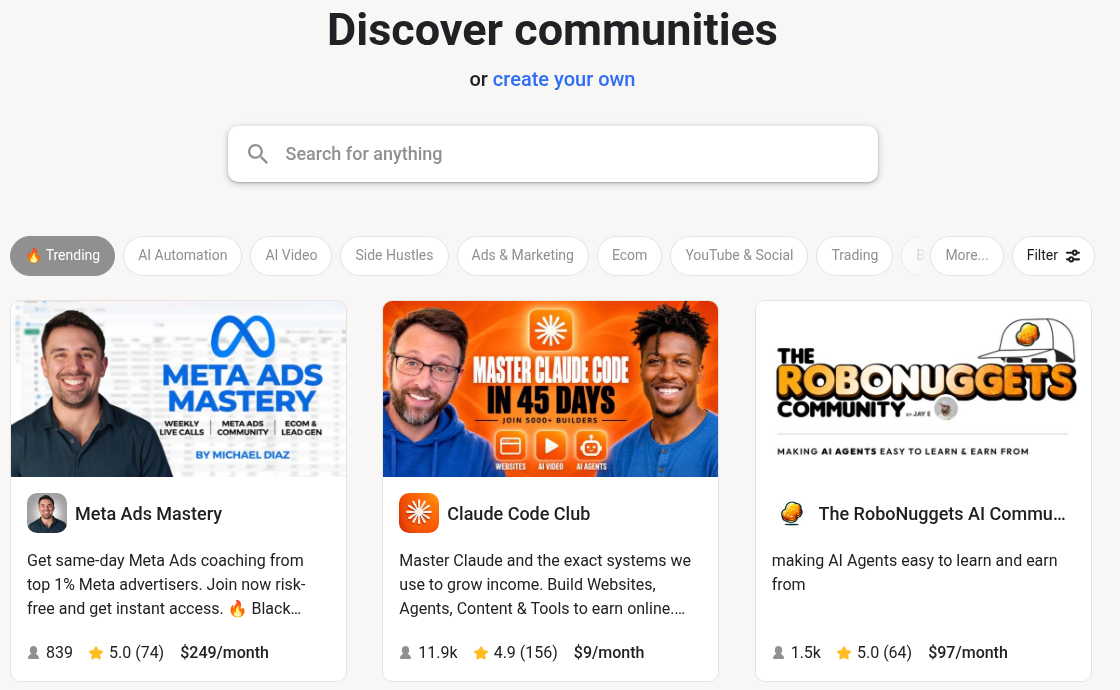
- Public groups get found. Public posts can rank on Google and get quoted by AI tools. Several of my Educate posts get traffic this way.
- Spam control. Membership questions plus "unlock chat / posting at level X" plugins are available on both plans and cut out most DM spammers.
- Flexible pricing for your members. Free, subscription, freemium, tiers and one-time payments, with existing members grandfathered when you change your price (Payments FAQ).
Grab your free 14-day Skool trial
Build a community around your passion. Start on Hobby ($9/month) or Pro ($99/month) after the trial. Cancel anytime.
What I don't like
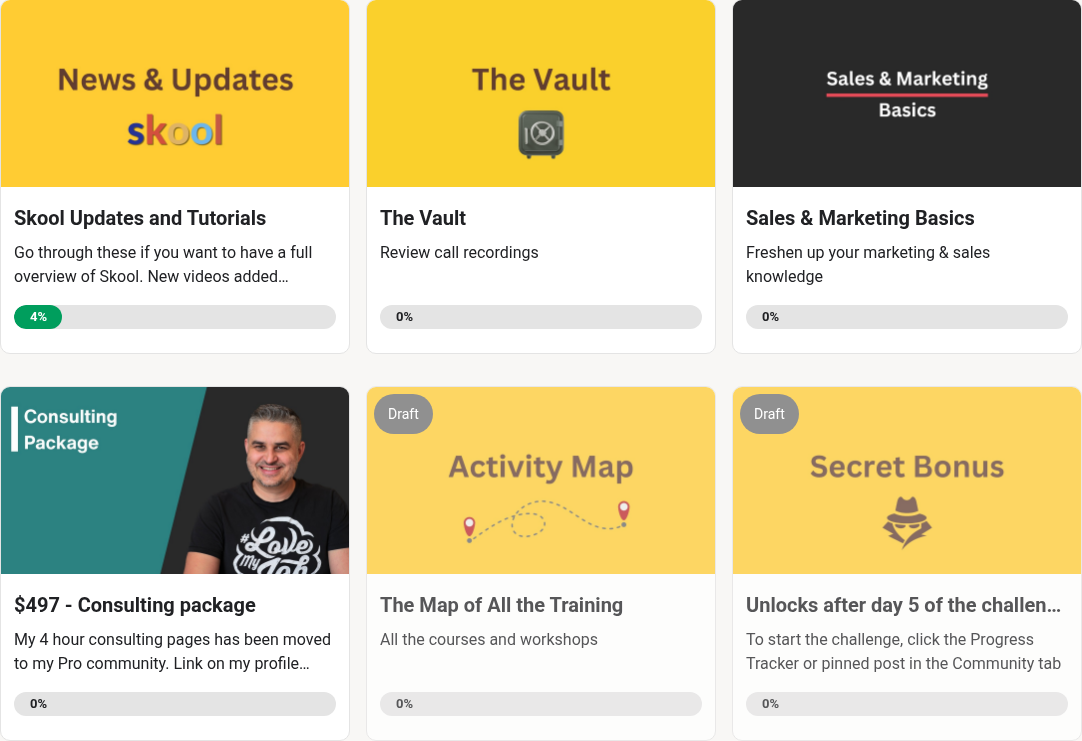
- The Classroom is basic. No quizzes or certificates, and students mark lessons complete themselves. Drip content counts from the day someone joins the group, not from when they start the course. [check] If courses are your main product, compare Kajabi first.
- Only two levels of comments. Busy threads get hard to follow. [check]
- Not much branding. You can't design your own site. The custom URL is Pro-only.
- Notifications across many groups get noisy. You set them per community. I made a video on the first thing to change when you join.
- You don't get member emails automatically. If you want them, ask for them in your membership questions. [check]
- Hobby is limited for teams. One admin only. Pro allows up to 30 (Skool Help).
- Growth Boost isn't free traffic. Skool takes 30% of the recurring price of every paying member it brings you. In my group only 13% of people came from Skool, so check your own numbers.
- No refunds on subscription fees. Cancel your trial in time if you're not sure (payment terms).
Pricing in one paragraph
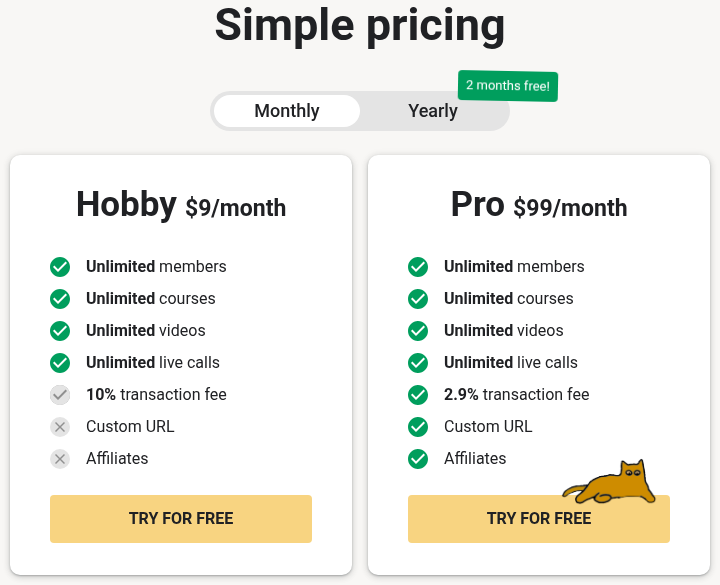
Hobby is $9/month with a 10% + 30¢ fee on each payment. Pro is $99/month with 2.9% + 30¢ (3.9% + 30¢ above $900). Both have unlimited members, courses, videos and live calls. Pro adds up to 30 admins, the custom URL, AutoDM, webinars, member affiliates, Zapier and ownership transfer. On monthly billing, Pro becomes cheaper once you make about $1,270 a month. The full breakdown, with what you keep per member, is in Skool Pricing 2026: Hobby vs Pro.
Who should use Skool, and who should skip it
Good fit:
- Coaches, educators and creators who want a paid or free community with simple courses on the side
- People who sell to an international audience and don't want to deal with VAT
- Anyone who already has an audience on YouTube or social and wants one place to send them
Probably skip it:
- Course businesses that need assessments, certificates or complex learning paths
- Brands that need a fully custom website and member app (look at Circle's higher plans or Kajabi)
- Sellers whose product is mainly Discord access or digital downloads (Whop is built for that)
I compare all four in Skool vs Circle vs Kajabi vs Whop (2026).
Is Skool legit?
Yes. Skool is a real software company you pay like any other platform. The 40% affiliate program is why you see so many reviews (including this one); it isn't a sign the product is fake.
Skool's own Skool Games site names Alex Hormozi as a co-founder, and you pay a monthly or yearly subscription for Hobby or Pro, just like other SaaS tools. The reason so many people (me included) recommend it is that Skool pays affiliates 40% of the subscription of every community owner they refer. That's normal in software, but it means you should read reviews with that in mind, including this one. I disclose my links, and I'll tell you when Skool isn't the right tool.
Is Skool free?
No, not for group owners. You get a 14-day free trial, then Hobby is $9/month or Pro is $99/month, plus a transaction fee when members pay you. Joining someone else's free community is free.
There's no free plan for running your own group. After the trial, the subscription renews unless you cancel. Members can join free communities at no cost; you're only charged if you create a group and stay past the trial, or if you join a paid community as a member.
Is Skool worth it in 2026?
Yes, if you want a simple community with courses and live calls in one place, and you're fine with limited branding and a basic Classroom. No, if you need quizzes, certificates or a custom-designed site. The 14-day trial is the way to find out.
After more than two years I still think the trade-off is worth it for most coaches, educators and creators who want engagement more than control. It's a weaker fit if courses or marketing are the core of the business — that's when I'd look at Kajabi, Circle or one of the other alternatives. Start on Hobby, set up your About page and a first course, and see whether your people actually use it. You can upgrade the same group to Pro later.
My verdict
After more than two years, I still run my main community on Skool because members actually use it, and the payments and tax side just works. The trade-off is control: basic courses, limited branding. Start a 14-day trial on Hobby, set up your About page and a first course, and see if your members engage. You can upgrade to Pro in the same group later.
Want to see how other people run their groups first? Here are my favourite Skool communities, or join mine for free at skool.com/educate.
FAQ
Is Skool worth it in 2026?
Yes, if you want a simple community with courses and live calls in one place. No, if you need quizzes, certificates or a custom-designed site. See Is Skool worth it in 2026?.
Is Skool legit?
Yes. It's a real software company. The 40% affiliate program explains why you see so many reviews, including this one. See Is Skool legit?.
Is Skool free?
Not for group owners. There's a 14-day free trial, then Hobby is $9/month or Pro is $99/month. Joining a free community as a member is free. See Is Skool free?.
How much does Skool cost?
$9/month on Hobby or $99/month on Pro, plus a transaction fee on member payments (10% + 30¢ on Hobby, 2.9% + 30¢ on Pro).
Can you host videos on Skool?
Yes. Skool has native video hosting with unlimited videos on both plans, and you can also embed YouTube videos.
Does Skool have quizzes or certificates?
Not built in, as far as I know in November 2026. If you need them, look at Kajabi or a dedicated course platform.
Does Skool handle taxes?
Skool is the merchant of record. It collects and remits EU VAT and sales tax on your members' payments. You still handle your own income tax.
Is Skool good for beginners?
Yes. It's one of the easiest platforms to set up. Start with my guide to creating and setting up a Skool community.
How do I cancel Skool?
Group Settings → Billing → Manage subscription → Cancel subscription. Your content is saved and you can reactivate later. Watch my cancellation video.
Sources
- Skool pricing and Skool features (checked 23 Nov 2026)
- Skool Payments FAQs (updated 4 Nov 2026)
- How to use Plugins
- Admins and moderators
- Payment terms and policy
- How to refer others to Skool
About the author
I'm Marcin Hakemer-Fernandez. I've been running communities on Skool since June 2024, including my free group Educate with Skool (about 665 members in November 2026), and I post Skool tutorials on my YouTube channel @skoolinsiders. If you get stuck, ask in the group. That's what it's for.